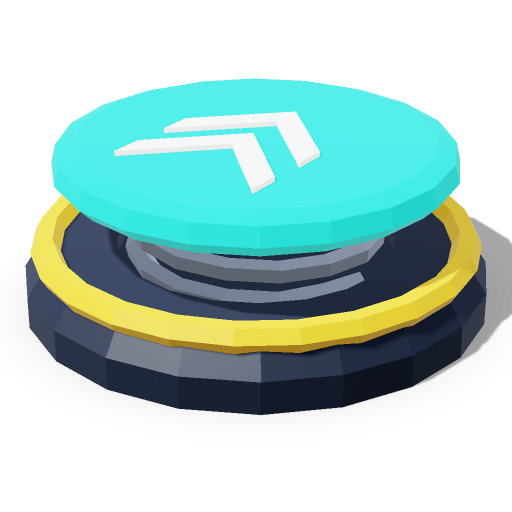
984 ポリゴン1.00 × 0.38 × 1.00 m
コードで使う
エディターでリミックスpush-button.js · 82 行
自己完結型の ES モジュールで、依存先は three のみです。ファクトリー関数を呼び出し、返された group をシーンに追加してください。
/**
 * Push Button — Codels 3D model library
 * License: CC0-1.0 · Units: meters · Y-up · Front: +Z · Origin: center of the base (y = 0)
 * Triangles: 984 · Size (W × H × D): 1.00 × 0.38 × 1.00 m
 *
 * Usage:
 *   import { createPushButton } from './push-button.js';
 *
 *   const model = createPushButton();
 *   model.position.set(0, 0, 0);
 *   scene.add(model);
 */
import * as THREE from 'three';

const deg = THREE.MathUtils.degToRad;

// Revolve a 2D profile [[radius, y], ...] around the Y axis.
function lathe(points, segments, phiStart = 0, phiLength = Math.PI * 2) {
  return new THREE.LatheGeometry(points.map(([x, y]) => new THREE.Vector2(x, y)), segments, phiStart, phiLength);
}

export function createPushButton() {
  const root = new THREE.Group();
  root.name = 'PushButton';

  // Materials
  const plateMat = new THREE.MeshStandardMaterial({ name: 'plate', color: 0x363c48, roughness: 0.65, metalness: 0.3, flatShading: true });
  const hazardMat = new THREE.MeshStandardMaterial({ name: 'hazard', color: 0xf2c12e, roughness: 0.6, flatShading: true });
  const housingMat = new THREE.MeshStandardMaterial({ name: 'housing', color: 0x23272f, roughness: 0.5, metalness: 0.3, flatShading: true });
  const chromeMat = new THREE.MeshStandardMaterial({ name: 'chrome', color: 0xd7dde6, roughness: 0.2, metalness: 0.85, flatShading: true });
  const capMat = new THREE.MeshStandardMaterial({ name: 'cap', color: 0xe8322f, roughness: 0.25, flatShading: true });

  // Shared geometries
  const cylinderGeo = new THREE.CylinderGeometry(0.035, 0.035, 0.03, 6);

  // Parts
  const pushButton = new THREE.Group();
  pushButton.name = 'pushButton';
  root.add(pushButton);
  const plate = new THREE.Mesh(new THREE.BoxGeometry(1, 0.06, 1), hazardMat);
  plate.name = 'plate';
  plate.position.set(0, 0.03, 0);
  pushButton.add(plate);
  const plateInset = new THREE.Mesh(new THREE.BoxGeometry(0.88, 0.012, 0.88), plateMat);
  plateInset.name = 'plateInset';
  plateInset.position.set(0, 0.06, 0);
  pushButton.add(plateInset);
  const cylinder4 = new THREE.Mesh(cylinderGeo, chromeMat);
  cylinder4.position.set(-0.37, 0.075, -0.37);
  pushButton.add(cylinder4);
  const cylinder5 = new THREE.Mesh(cylinderGeo, chromeMat);
  cylinder5.position.set(0.37, 0.075, -0.37);
  pushButton.add(cylinder5);
  const cylinder6 = new THREE.Mesh(cylinderGeo, chromeMat);
  cylinder6.position.set(0.37, 0.075, 0.37);
  pushButton.add(cylinder6);
  const cylinder7 = new THREE.Mesh(cylinderGeo, chromeMat);
  cylinder7.position.set(-0.37, 0.075, 0.37);
  pushButton.add(cylinder7);
  const housing = new THREE.Mesh(lathe([[0, 0.06], [0.42, 0.06], [0.42, 0.16], [0.37, 0.23], [0.33, 0.23], [0.33, 0.18], [0, 0.18]], 24), housingMat);
  housing.name = 'housing';
  pushButton.add(housing);
  const bezel = new THREE.Mesh(new THREE.TorusGeometry(0.335, 0.03, 6, 24), chromeMat);
  bezel.name = 'bezel';
  bezel.position.set(0, 0.235, 0);
  bezel.rotation.set(deg(90), 0, 0);
  pushButton.add(bezel);
  const cap = new THREE.Mesh(lathe([[0, 0.19], [0.29, 0.19], [0.29, 0.27], [0.27, 0.32], [0.21, 0.355], [0.11, 0.373], [0, 0.377]], 24), capMat);
  cap.name = 'cap';
  pushButton.add(cap);

  root.traverse((o) => {
    if (o.isMesh) {
      o.castShadow = true;
      o.receiveShadow = true;
    }
  });
  return root;
}

export default createPushButton;
評価とコメント
0 件のコメント
まだコメントはありません。このモデルの使い方や改善できる点を共有しましょう。
関連モデル
同じカテゴリまたは似たタグ